Scenario Modeling
Model the options before you commit to one.
Every reorg, growth plan, or budget cut is really a set of competing options. OrgDrafter lets you build each one as a living scenario — structure and cost intact — and compare them side by side, so you walk into the executive review with the trade-offs already costed and clear.
Each scenario is a real model, not a copied tab.
Branch a scenario from the current org and reshape it freely: add roles, collapse layers, move teams. The financials follow every change, so a scenario is always a model you can keep editing — never a snapshot that drifts out of date.
- Branch unlimited future-state scenarios from the live org
- Structure and fully-loaded cost stay connected in every branch
- Keep editing scenarios as the plan evolves, no rebuild required
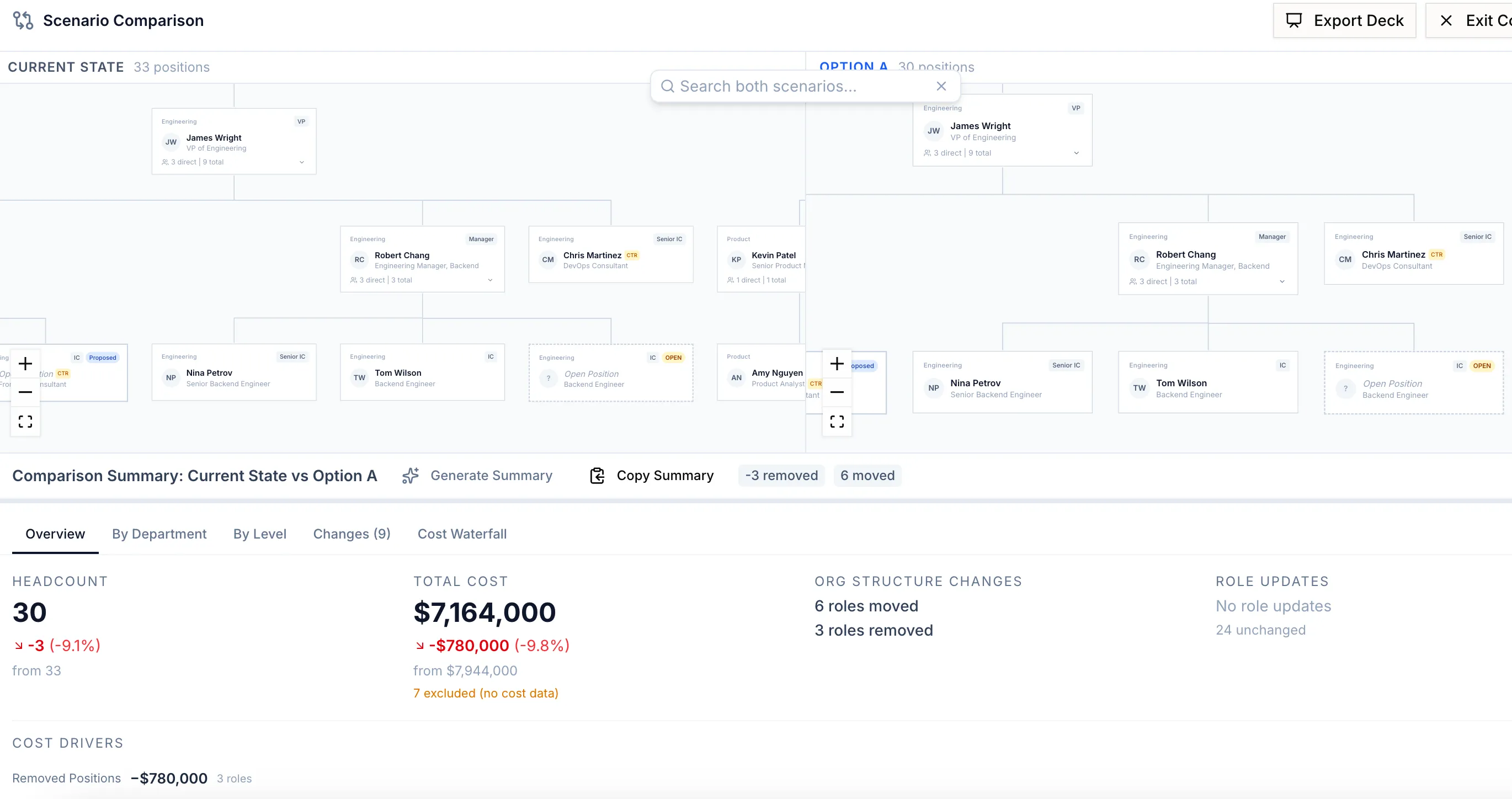
Compare options down to the role.
Put two scenarios next to each other and see exactly how they differ: headcount, fully-loaded cost, spans, and which specific roles changed. Decisions get made on a clear delta instead of a gut feel.
- See headcount and cost deltas between any two scenarios
- Drill into the exact roles that differ
- Bring leadership a clear trade-off, not a debate
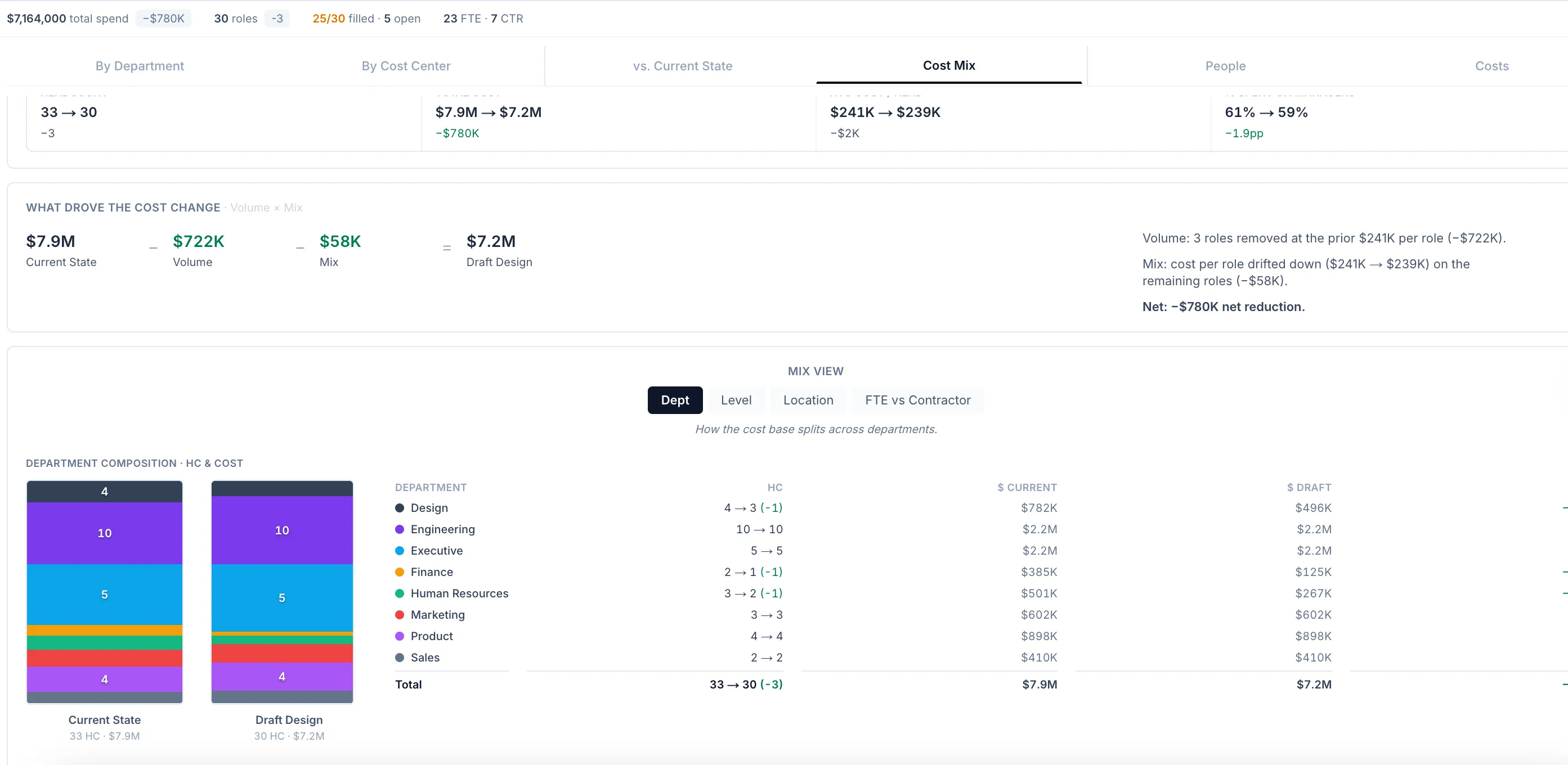
Every part of the reorg, in one model.
Automatically audit spans and management layers against benchmarks you can tune, with every flag explained and priced.
Explore Headcount Cost PlanningCarry fully-loaded cost on every role so the headcount plan and the budget are the same artifact — always reconciled.
Explore Interactive Org ChartsA live, data-linked org chart you edit on a canvas — freehand or as a staged plan — instead of a picture you redraw.
Explore AI Org DesignDescribe the change in plain English and AI drafts the plan — every move previewed and priced before you apply it.
Explore PowerPoint ExportGenerate a leadership-ready deck straight from the model — structure, financials, and change detail, lined up and on-brand.
ExploreSee your options side by side.
We'll model a couple of scenarios on the kind of decision your team is weighing.