Move from Excel to dynamic org design
Stop running your org out of a spreadsheet.
Headcount budgets and workforce plans outgrow Excel fast: broken formulas, fifteen versions of the truth, and no way to model the future without copying tabs. OrgDrafter is the natural evolution — a live workspace where structure, cost, and scenarios stay connected.
OrgDrafter vs. Excel, at a glance
| Capability | Excel | OrgDrafter |
|---|---|---|
| Where the plan lives | Fifteen file versions in email and shared drives | One live planning workspace |
| Data integrity | One bad cell reference breaks the model | Structured data — no formulas to silently break |
| Seeing the structure | Flat rows you have to imagine as an org | A visual org model you can actually see and edit |
| Future-state scenarios | Copy the tab, pray the links survive | Model and compare scenarios without losing the math |
| Financial tracking | Manual roll-ups that drift out of sync | Fully-loaded cost and run-rate, always current |
| Getting answers | Write the formula yourself | Ask AI in plain English and apply the change |
No more broken formulas or mystery cells.
Workforce models in Excel are one fat-fingered cell away from collapse. A deleted row, a dragged formula, a wrong reference — and the headcount budget is quietly wrong for weeks.
OrgDrafter stores roles, levels, and costs as structured data, not chained formulas. There's nothing to accidentally overwrite, so the numbers you present are the numbers that are true.
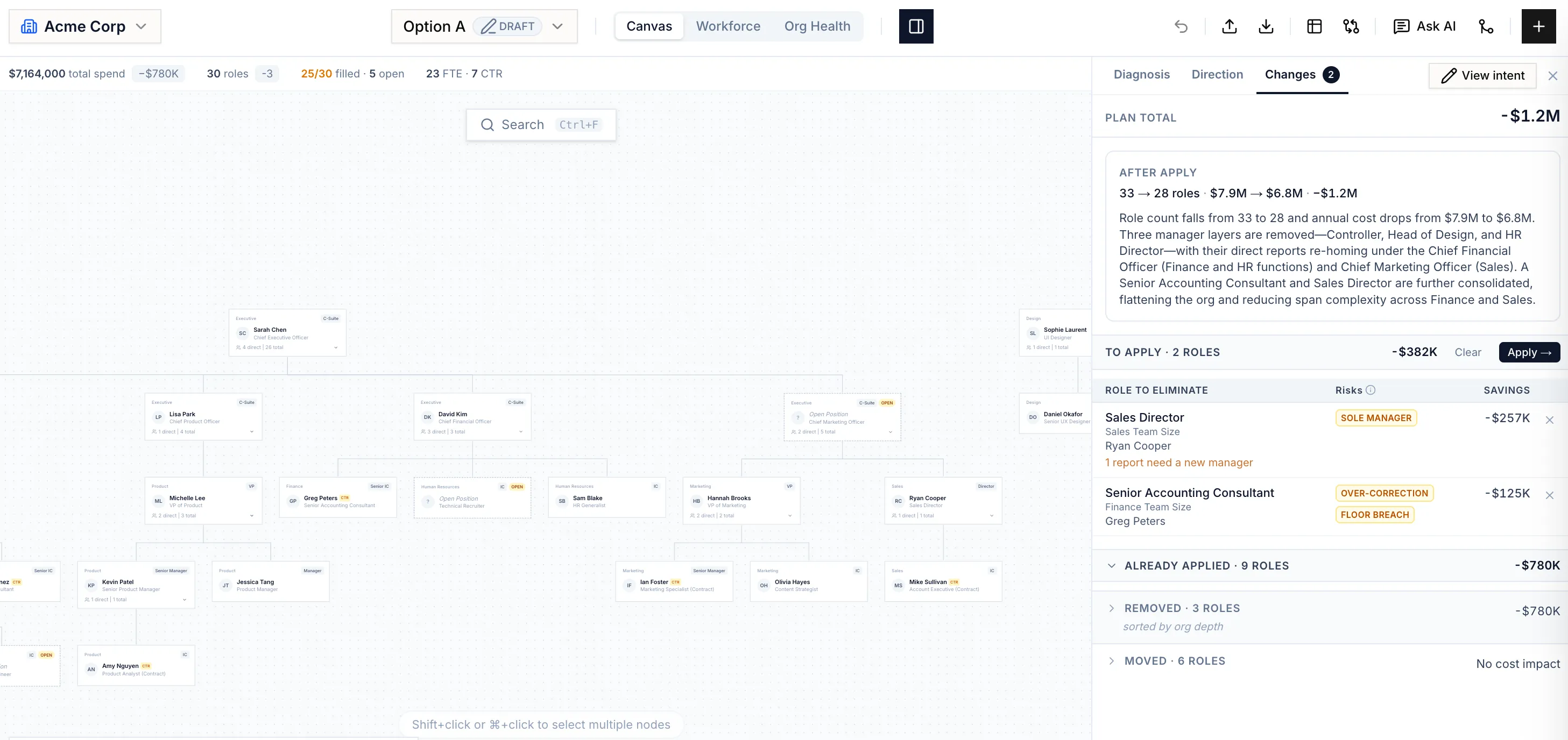
Kill the version-control chaos.
"final_v7_FINAL.xlsx" is not a planning system. When the plan lives in files passed around by email, no one is ever sure which copy is current.
OrgDrafter replaces the file sprawl with one live planning workspace. The current-state and future-state live in one model, so there's a single, shared planning model — not a folder full of guesses.
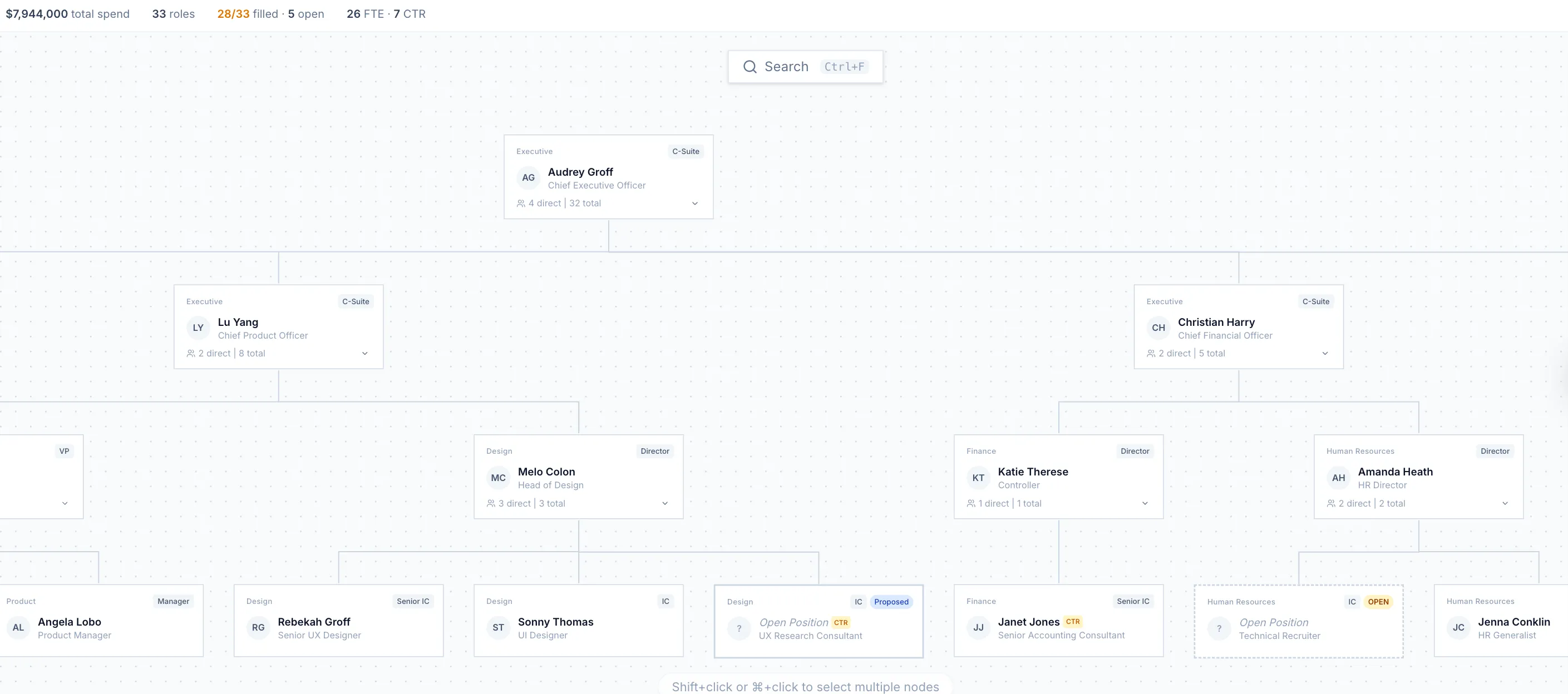
Model the future without losing the math.
Running a future-state scenario in Excel means duplicating tabs and rewiring links by hand — and the financial tracking usually breaks somewhere in the copy.
In OrgDrafter, every scenario is a living model with its financials intact. Compare growth, restructuring, or freeze plans side by side, and just ask the AI to draft the next one for you.
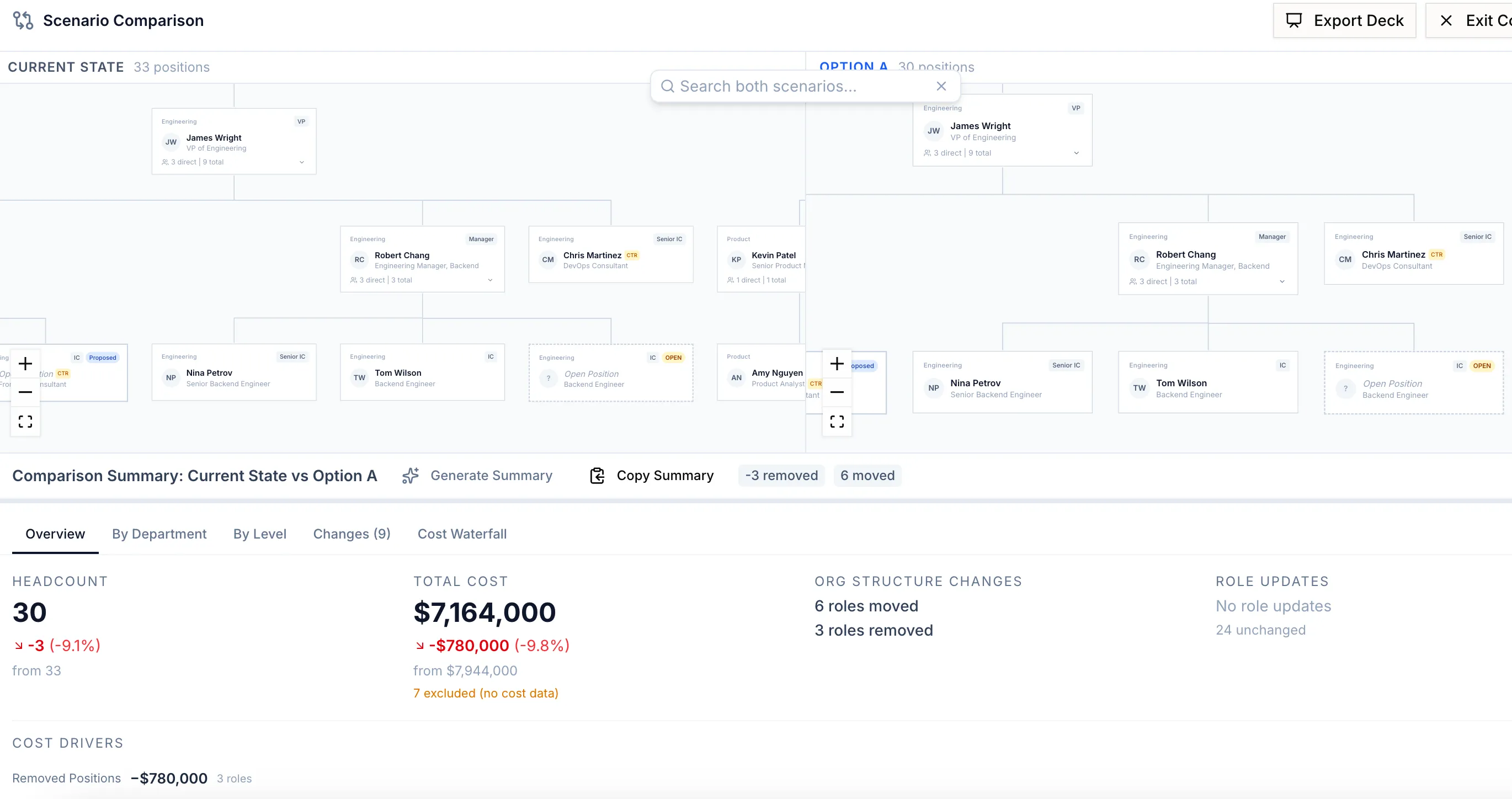
See how OrgDrafter stacks up.
Org design and financial analytics built for enterprise planning, without the lengthy rollout or a dedicated admin.
Explore vs. LucidchartA live, data-linked org model where moving a node updates payroll, run-rates, and spans — not a diagram you redraw by hand.
Explore vs. MiroTrade the infinite whiteboard of sticky-note boxes for a structured org model with cost, spans, and scenarios underneath.
ExploreGraduate from spreadsheet hell.
We'll take the kind of workforce model you keep in Excel today and bring it to life.